
User Profiles and Login Problems
Course: PC & Laptop Troubleshooting · Lesson 17 of 20 · Reading time: about 2 minutes, plus the activity
Your account identifies you and helps determine your access. Your profile holds personal settings and user data, such as desktop preferences. A sign-in problem and a damaged profile are different issues.
Before you start
Beginner · Build on the basics
Lesson format: Explanation and activity
Helpful preparation
Review these topics first if they are unfamiliar. You can still open every lesson.
By the end, you should be able to
- Separate failed authentication from failed profile loading
- Preserve the original profile while gathering evidence
Read the exact message
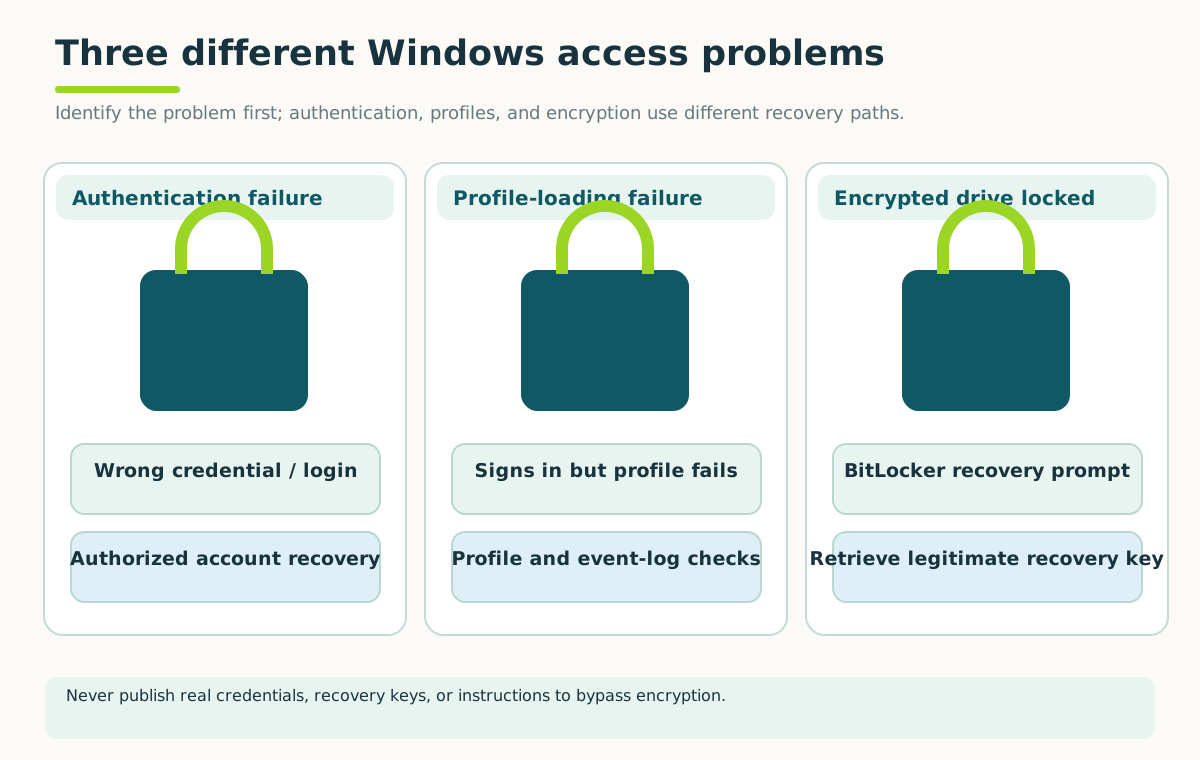
Record the exact message and protect the original data. Account recovery does not bypass drive encryption; never publish credentials or recovery keys.
Open full-size illustration ↗Check the selected account, keyboard layout and Caps Lock. A Windows Hello PIN isn't the same credential as an account password. An office domain account may need network connectivity or organizational support, depending on the situation.
An “incorrect password” message points in a different direction from “temporary profile” after a successful sign-in. With a temporary profile, settings and files may not appear in their usual places. That doesn't automatically mean the original files were deleted.
Protect the original profile
Don't delete a user folder or use registry tricks as an opening fix. A profile may contain needed data and encryption-related information. Unexpected account-recovery requests should go through the legitimate account owner or organization's recovery process.
For managed systems, collect the error text, account type, timing and whether the network is available. Avoid sharing passwords, PINs or recovery codes in a support note.
Try it: classify two messages
Case A: sign-in rejects the password. Case B: sign-in succeeds but reports a temporary profile and shows an unfamiliar desktop. Which one primarily points to profile loading?
Answer: B. They shouldn't automatically receive the same repair.
Quick check
- Are the account and profile exactly the same thing?
- Should you delete the old profile before checking for needed files?
Show answers and explanation
- No; an account identifies the user, while a profile stores that user's Windows settings and files. A sign-in can succeed while profile loading fails.
- No; protect and assess the original data before attempting repairs.
Ready to move on?
Finish the activity and check your answers, then mark this lesson complete. You can come back and review it at any time.